My tips about browsers for Linux, is Google Chrome. I love Firefox myself, but Chrome for Linux is perfect. While Firefox is pretty slow under Linux, Chrome is a fast reliable tools for your everyday surfing. This doesn't mean that you should throw away Firefox though, because Chrome still has its downsides. When it comes to running certificated Java applications on Internet banks still Chrome is not working properly :-(, but in everyother place, it works just perfect ...
Latest News : Chrome 5.0 is ready for Linux :
Source : About.com
The web browser Chrome, developed by Google, has finally been released as an official stable release for Linux. Google Chrome 5.0 for Linux is described by the developers as solid, high performance, and fully-featured.
Highlights of the latest version include HTML 5 functionality, such as geolocation programming interfaces, application caching, and drag-and-drop capability. Using Google accounts, you can now copy browser preferences to other machines, so you don't have to manually customize your Chrome browser on every computer you are using.
How is Chrome different from other browsers? The first item would be speed. Like the Google search engine, Chrome has been designed for speed. This shows for example in the start-up time, which is several times shorter than that of Firefox.
Another interesting feature is the "incognito" mode, which allows you to surf the Internet without the browser tracking where you are going or what you are doing. That is, it won't save your browsing history.
Chrome tries to integrate the Internet with your PC by making it easy to add short-cuts to web sites to your desktop. Not surprisingly, web search is tightly integrated as well, so that you can alternatively enter a URL or a search phrase in the address field on the "Omnibar".
However you are not limited to using Google as search engine. By typing another common search tool, such as Yahoo or Live Search in front of your search phrase you are engaging that web service instead.
Another one of Chrome's novel features is "tab isolation". This means, if the web page in one particular tab causes trouble or crashes, it does not affect the other tabs. Furthermore, you can monitor CPU and memory usage of each tab and kill it if its requirements get out of hand. You can access the Chrome task manager through the "page" menu to the right of the search/address field. From there you would go to Developer and select Task manager.
Showing posts with label firefox. Show all posts
Showing posts with label firefox. Show all posts
Sunday, June 06, 2010


Monday, December 14, 2009
Tricks to make old Addons work on Firefox 3.5 or higher
The trick is to add some configurations in Firefox settings. All the changes you make from here on are done at your own risk. Do revert the settings if something goes wrong.
- Type
about:configaddress bar of Firefox browser and hit enter. It will give you a warning. Just click the button “I’ll be careful, I promise!” and proceed… - It will show a huge list of values. Now, right click any where in the free white-space on the screen and click on New –> Boolean, then name the Boolean as checkCompatibility – make it false in the next step.
- again right click and click on New -> Boolean and name as checkUpdateSecurity and choose false.
- After doing this changes to get the changes applied, Restart the Firefox browser. Now install the addon that was not supported or compatible by Firefox 3.5 and install it.
- Restart the Firefox browser once again. Now, the not compatible addon will work with Firefox 3.4
Hope you liked this trick.
Thanks to Blogote
Saturday, August 29, 2009

Thursday, July 30, 2009
Mozilla Releases Firefox 4.0 Interface Mockups
Just days after releasing some proposed interface changes to Firefox 3.7 on its wiki, the Mozilla Foundation has put up a page to explore interface changes in Firefox 4.0.
Two main versions are displayed, one showing the tabs beneath the address bar and one with the tabs above it. The tabs-on-top look is nice and clean, and saves space, but eliminates the title bar.

Also on the wiki page is a demonstration of an idea for combining the go, refresh, and stop buttons into a single context-sensitive button.
As with the proposed changes to Firefox 3.7, the Firefox 4.0 changes are aiming to reduce interface complexity, increase page space, and hopefully increase clarity for the user while integrating more naturally into Windows. What do you think of the changes? Let us know in the comments.
Friday, July 17, 2009
Opera: Microsoft's 'minor tweak' of Windows 7 not enough
Computerworld - Opera Software, the Norwegian browser maker that sparked an antitrust investigation into Microsoft business practices in Europe, remains dissatisfied with its rival's move to dump IE8 from Windows 7.
Last week, Microsoft shared a bit of technical information about how it is stripping IE8 from Windows 7 to create the "E" editions for the European Union market.
"The only functional difference is that the Internet Explorer 8 component is not available," said Arik Cohen, a Microsoft program manager in a Q&A on the company's Windows blog. "This is the same component that your users can turn off in the 'Turn Windows features on and off' control panel in the Windows 7 RC build."
All other parts of IE will remain in the E editions, said Cohen, "since they are part of the Windows core."
The "Turn Windows features on and off" feature refers to the kill switch option Microsoft added to Windows 7 in March. Then, Microsoft managers confirmed that the new operating system would offer user settings for disabling, but not deleting, a host of bundled applications, including IE8. "If a feature is deselected, it is not available for use," said Jack Mayo, a program manager on the Windows team. "This means the files (binaries and data) are not loaded by the operating system and not available to users on the computer."
Files are not actually deleted from the PC, however, so users can later reactivate the disabled applications, said Mayo.
Flipping a switch to simply make IE8 unavailable is not enough for Opera, the browser builder that complained to EU regulators in late 2007. Its complaint led the government's antitrust agency to charge Microsoft in January with shielding IE from competition.
"Microsoft's minor technical tweak will not restore browser competition on the desktop," said Hakon Wium Lie, Opera's chief technology officer, in an e-mail today.
Opera has previously expressed dissatisfaction with Microsoft's decision to dump IE8 from Windows 7. In June, when Microsoft announced the E editions, Lie was skeptical, even though it was unclear at the time exactly what part of the browser would be removed. "The rendering engine will remain," Lie argued then. "Who knows what Windows Update would do? You could wake up in the morning and see all of IE8 there again."
Microsoft may have felt forced to leave parts of IE within Windows, since some of the OS's functionality, particularly Windows Update, likely depends on those components.
A month ago, Microsoft acknowledged that its unilateral move might not satisfy critics, including EU officials. "Our decision to only offer IE separately from Windows 7 in Europe cannot, of course, preclude the possibility of alternative approaches emerging through Commission processes," Dave Heiner, Microsoft's deputy counsel, said on June 11.
While the EU has not yet ruled -- Microsoft dropped an oral hearing slated for early June because of scheduling conflicts -- but Lie said that as far as Opera is concerned, turning off IE but leaving bits and pieces in Windows 7 isn't enough. "At Opera, we'd like to give users access to more browsers, not fewer," he said.
Opera wants the EU to order Microsoft to insert a ballot screen into Windows; the screen would offer users several browser choices that would then either be activated -- if all were pre-installed on the machine -- or downloaded and installed.
Regulators also have hinted that the ballot screen is its preferred solution. "A potential remedy ... and which would not require Microsoft to provide Windows to end-users without a browser, would be to allow consumers to choose from different web browsers presented to them through a 'ballot screen' in Windows," the European Commission said in a June 12 statement.
Nor has Microsoft publicly disclosed what, if any, incentives it's held out to European computer makers to continue to install IE8 on new PCs. Last month, Mozilla said that that was critical to figuring out whether Windows 7E would level the playing field. "It's impossible to evaluate what [Microsoft's proposal] means unless and until Microsoft describes -- completely and with specificity -- all the incentives and disincentives applicable to Windows OEMs," said John Lilly, Mozilla's CEO. "Without this, it's impossible to tell if Microsoft is giving something with one hand and taking it away with the other."
Microsoft's Cohen also claimed that the "vast majority" of applications work on Windows 7 E, including programs that use Windows' embedded browser components, including Trident, IE's layout engine.
Microsoft: How to install a browser on Windows 7 E
Microsoft has created a guidance page on the Windows 7 part of their website, detailing how users should go about installing a browser on Windows 7 E – the version of Windows that will ship in the UK, that comes without a browser.
Users will be required to install an internet browser from external media, such as a USB pen drive or CD, as there will be no way of browsing the web without one otherwise.
Due to the EU pushing on with its anti-trust case against Microsoft, users buying Windows 7 E will have to find their own browser to use. Whilst users could of course just download their browser of choice, and save it on a pen drive, Microsoft has made Internet Explorer 8 available for order, on disk. The disk costs £3.44, excluding VAT. For many users, this will not be necessary, but Amazon.de is offering the Internet Explorer 8 disk as an extra anyway, for €3.99. Firefox is also available to order, from the Mozilla Store.
Windows N will be the same as Windows 7 E, but without a media player installed by default. Whilst some oppose the decision made by Microsoft (as a response to the EU anti-trust case), others believe it will offer other browsers a chance, such as Firefox and Opera. However, how well this will go down with those who buy Windows 7 E remains to be seen.
Whether or not browsers can be bundled in by computer manufacturers isn't stated on the site, but as it states that media players can be bundled, then it is assumed so. However, for system builders and everyone else, there will be no "browser selection" upon finishing installation, as some speculated. Instead, users will have to go back to basics, and find something to store it on, or, alternatively, order a browser on a disk.
Source : http://www.neowin.net/news/main/09/07/15/how-to-install-a-browser-on-windows-7-e
Users will be required to install an internet browser from external media, such as a USB pen drive or CD, as there will be no way of browsing the web without one otherwise.
Due to the EU pushing on with its anti-trust case against Microsoft, users buying Windows 7 E will have to find their own browser to use. Whilst users could of course just download their browser of choice, and save it on a pen drive, Microsoft has made Internet Explorer 8 available for order, on disk. The disk costs £3.44, excluding VAT. For many users, this will not be necessary, but Amazon.de is offering the Internet Explorer 8 disk as an extra anyway, for €3.99. Firefox is also available to order, from the Mozilla Store.
Windows N will be the same as Windows 7 E, but without a media player installed by default. Whilst some oppose the decision made by Microsoft (as a response to the EU anti-trust case), others believe it will offer other browsers a chance, such as Firefox and Opera. However, how well this will go down with those who buy Windows 7 E remains to be seen.
Whether or not browsers can be bundled in by computer manufacturers isn't stated on the site, but as it states that media players can be bundled, then it is assumed so. However, for system builders and everyone else, there will be no "browser selection" upon finishing installation, as some speculated. Instead, users will have to go back to basics, and find something to store it on, or, alternatively, order a browser on a disk.
Source : http://www.neowin.net/news/main/09/07/15/how-to-install-a-browser-on-windows-7-e
Microsoft: new Vista PCs sold in EU can't upgrade to Windows 7
EU buyers of new PCs before 22 October will definitely not be able to upgrade to Windows 7 from Windows Vista, TechRadar has learned.
Instead these buyers will also be forced to perform a clean install of their OS, losing all their settings and potentially applications and data.
The unfortunate side effect has been caused by Microsoft's decision to avoid any further EU censure on Windows 7 by removing Internet Explorer 8 from the OS. Because Internet Explorer is so deeply integrated within Vista, it's not currently possible to perform an upgrade that removes IE.
The problem will affect all new PCs sold in the EU between now and the launch of Windows 7 on October 22nd. As we learned back in June, the retail version of Windows 7 E (Europe) has the same issue and there will be price concessions on the full version of the OS - at least until the end of the year.
TechRadar has heard from manufacturers (OEMs) who were told of the issue four weeks ago at a meeting with Microsoft. Having a large partner day isn't an unusual occurrence prior to such a release – they will have seen the Windows 7 RTM and will have been generally updated on information.
However, we have spoken to two system integrators who were at the meeting when all were told of the restriction – and that there was anger over the problem. No wonder; it will surely affect sales further during the traditionally poor pre-OS period for new PC purchases. And at a time when sales are down anyway due to the financial crisis.
What happens next?
Some OEMs are trying to provide solutions already with upgrade brochures, but TechRadar has also found that others seem blissfully unaware of the situation.
This is a problem partly of Microsoft's making – the EU actually didn't tell Microsoft to remove IE from Windows, simply to include an option of installing other browsers. Microsoft weren't so keen and took the drastic action of binning IE8, knowing full well that many OEMs will decide to install it anyway to make it easier for their customers.
Any EU appeal process could have delayed the launch of Windows 7 – an unacceptable situation for Microsoft.
So far, Microsoft has not been able to produce an upgrade process which would strip out IE, although a workaround may appear later in the year.
Microsoft may still be able to supply OEMs with Windows 7 discs with IE8 on them if they can gain an exemption to the ruling. That would be on the grounds that OEMs can simply choose to supply an easier upgrade path for their customers by actively choosing to install IE8.
EU approval would be needed for this and it's doubtful it would go through in time for the Windows 7 launch date.
Source : http://www.techradar.com/news/software/operating-systems/microsoft-new-vista-pcs-sold-in-eu-can-t-upgrade-to-windows-7-615757
Saturday, June 06, 2009
Returning Backspace as previous page button in Firefox @ Linux
Are you sick of pressing the back button at Firefox in Linux ? well, me too. So if you want to go back to the previous page by just pressing Backspace, then you gotto do some digging ;-)
The feature was removed to fix a bug. The bug that was caused by fixing the previous bug, which is that the backspace does not behave like it should has been fixed too (Thank heavens!)
But then, until the bug fix propagates to a Firefox build available on Ubuntu, one has to resort to a little scratching to fix the matter. Here’s how you resurrect the backspace button in Firefox 2.0 (worked for 3.o.10 today):
Type “about:config” in the address bar of Firefox and press Enter.
`Filter` for ‘browser.backspace_action’ and change its value to 0 (zero)
Friday, April 17, 2009
How do I minimize Mozilla Firefox or Thunderbird to the tray?
I work as an department engineer @ university of Oslo and my Thunderbird application should be open all the time so I can answer if someone has sent me an email. A while ago I was thinking 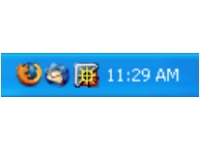 if it is possible to do something to minimize Thunderbird to traybar and spare some space on the task bar ... Well I searched and there were a good number of developers who had already done it ... Thanks to them, here is the way to do it : You have to download an AddOn called minimizetotray and add it on your Thunderbird. It also seems like there is a similar AddOn which works on Firefox as well but I have NOT tried it as I prefer my Firefox on the taskbar. After it you have following ways to minimize your dear Thunderbird to tray and spare some space :-)
There are multiple ways exist for minimizing Firefox and Thunderbird to the tray. You can use whatever works best for you. The most common method is to right-mouse click on the minimize button in the top right hand corner of the window. Or you can select from the menu File->Minimize to Tray. Or you can use the keyboard shortcut for Firefox, Ctrl+Shift+M. If you want to always have Firefox and Thunderbird minimized to the tray instead of the taskbar, select that checkbox in the extension's options. If you want to minimize all open Firefox windows, middle click on the minimize button, (or CTRL+right-mouse click for those without middle buttons).
 if it is possible to do something to minimize Thunderbird to traybar and spare some space on the task bar ... Well I searched and there were a good number of developers who had already done it ... Thanks to them, here is the way to do it : You have to download an AddOn called minimizetotray and add it on your Thunderbird. It also seems like there is a similar AddOn which works on Firefox as well but I have NOT tried it as I prefer my Firefox on the taskbar. After it you have following ways to minimize your dear Thunderbird to tray and spare some space :-)
There are multiple ways exist for minimizing Firefox and Thunderbird to the tray. You can use whatever works best for you. The most common method is to right-mouse click on the minimize button in the top right hand corner of the window. Or you can select from the menu File->Minimize to Tray. Or you can use the keyboard shortcut for Firefox, Ctrl+Shift+M. If you want to always have Firefox and Thunderbird minimized to the tray instead of the taskbar, select that checkbox in the extension's options. If you want to minimize all open Firefox windows, middle click on the minimize button, (or CTRL+right-mouse click for those without middle buttons).
Friday, July 18, 2008
How to get a back up of bookmarks in Firefox
I make regular backups of my Internet Explorer favorites which are placed in a folder named "Favorites" inside the user profile. In IE for every entry added to the favorites an Internet Shortcut (*.url) is created so the backup is actually a container of files with the url extension. Now that I am switching to FireFox it is important to keep my backup schedule but FireFox is using a different mechanism to store bookmarks! Instead of creating an entry for every bookmark it uses a single HTML file to hold the entire bookmarks and this HTML file is located in the user profile:

Source : http://www.itbuzzer.net/corner/2004/07/how-to-backup-firefox.asp
"Drive:\Documents and Settings\username\Application Data\Mozilla\Firefox\Profiles\default.qfb\bookmarks.html"So by backing up "bookmarks.html" I will have my backup in place again and FireFox gives me the ability to search through my Bookmarks by keeping all the entries in this HTML format.
Source : http://www.itbuzzer.net/corner/2004/07/how-to-backup-firefox.asp
Subscribe to:
Comments (Atom)